Live countdown display
Show the exact time remaining until the event with a live countdown that updates automatically for anyone visiting the page.
Event Countdown
Build a countdown page for a wedding, anniversary, birthday, baby arrival, or another meaningful event. Share one link, keep people updated, and give guests a simple place to follow the build-up.
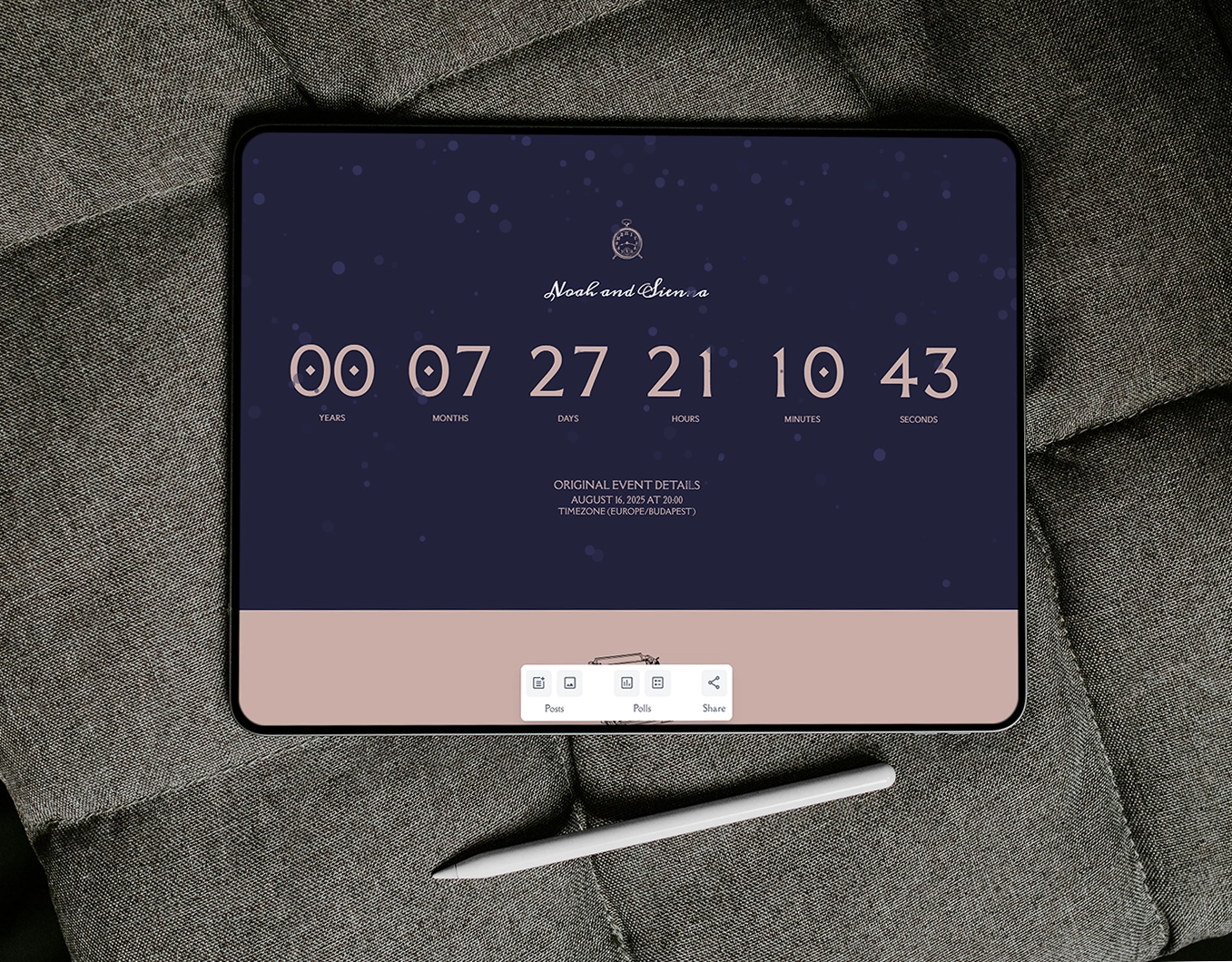
Some countdowns are practical. Others are emotional. The best ones usually become both. Lovecation gives people a way to create a personalized event countdown page that is easy to share, easy to revisit, and built around the kind of event they are actually planning.
Instead of treating every celebration the same, the platform supports different countdown experiences for weddings, anniversaries, birthdays, and baby arrivals. That makes it easier to choose a page that fits the tone of the event instead of forcing every countdown into the same format.
Each countdown type is built around a different kind of moment. Start with the format that best matches your event.

Create a shareable countdown page for the ceremony, guest updates, and the lead-up to the big day.
Open Wedding countdown

Use a more intimate countdown format for milestone dates, memory-driven celebrations, and meaningful relationship moments.
Open Anniversary countdown
Build a more playful countdown page for parties, birthday surprises, and guest-facing excitement before the event.
Open Birthday countdown

Create a family-focused countdown page for the anticipation of a due date, arrival, or growing-family milestone.
Open Baby arrival countdown
Every Lovecation countdown page is built to be simple to create, easy to share, and more engaging than a basic timer sitting on its own.
Show the exact time remaining until the event with a live countdown that updates automatically for anyone visiting the page.
Give people one link they can open in a browser instead of scattering event details across multiple messages and platforms.
Each countdown type is framed differently so the page feels better matched to the event instead of looking generic.
Use posts, reminders, or light updates to keep the page active and worth revisiting as the event gets closer.
Add lightweight interaction when it makes sense, whether for fun, guest input, or keeping the pre-event atmosphere alive.
Guests can open the countdown directly from a link without downloading a separate app first.
A basic timer only tells people how much time is left. A full event countdown page gives them a place to return to. That difference matters when the event has guests, updates, emotion, or a sense of build-up around it.
Instead of letting the countdown live in isolation, a dedicated page makes the date easier to share and easier to revisit. It also gives each event type more room to feel personal, whether that means a wedding guests keep checking, a birthday page that builds excitement, an anniversary countdown that feels more intimate, or a baby arrival page family members follow together.
Countdown pages make the most sense when the event is shared with other people or when the build-up is part of the experience.
Use a wedding-focused countdown page when guests need a central place to follow the approach of the ceremony.
Choose an anniversary countdown when the event is more personal, memory-driven, and centered on a relationship milestone.
Use a birthday countdown when the goal is energy, anticipation, and something friends can check before the celebration.
Choose a baby arrival countdown when family members want to follow the approach of a due date or welcome moment together.
The setup stays simple no matter which countdown type you choose.
Step 1
Start with the countdown format that matches the event, whether that is a wedding, anniversary, birthday, or baby arrival.
Step 2
Set the title, date, time, and timezone so the countdown is accurate and ready to share.
Step 3
Send one link so guests, friends, or family can follow the countdown and revisit the page before the event.
Common questions about creating and sharing a personalized event countdown page.
An event countdown page is a shareable web page that counts down to a specific date and gives people one place to follow the build-up to the event.
You can create countdown pages for weddings, anniversaries, birthdays, baby arrivals, and other meaningful events where people want to track the date together.
Yes. Each countdown is designed to be shared by link so other people can open it easily and revisit it before the event.
No. The countdown pages are browser-based, so they can be opened directly from a link without requiring an app install.
Yes. Lovecation offers dedicated countdown pages for different event types so the experience feels better matched to the occasion.
A basic timer only shows the time remaining. A countdown page makes the event easier to share, easier to revisit, and more engaging for the people involved.
Continue into a dedicated countdown type or pair the countdown with another Lovecation planning or keepsake page.
Use the dedicated wedding page for ceremony-focused countdowns, guest updates, and a stronger pre-wedding experience.
Explore a more intimate countdown built for milestone dates and relationship-centered celebrations.
Choose a more playful countdown page for parties, birthday reminders, and guest-facing excitement.
Use a family-oriented countdown page for due dates, arrival anticipation, and shared excitement.
Pair a wedding countdown with a practical timeline for day-of planning and guest coordination.
Add a story-driven personalized keepsake to complement the countdown experience.
Use the calculator when you want to track relationship milestones alongside a celebration page.
Open a lighter calculator for birthday-adjacent milestone planning and shareable reminders.